My loved one is smart and careful — do they really need this?
This is the most common reaction, and the hard truth is: being smart and careful used to be enough. Today’s scam emails are written using the same AI tools you might use to draft an email — they’re polished, personal, and free of the obvious tells (broken English, weird formatting, stock images) that used to give scams away. The Consumer Federation of America estimated in March 2026 that Americans lose $119 billion annually to online fraud, with a disproportionate share of those losses falling on people over 60. The gap between “obvious scam” and “looks completely real” has nearly closed. It’s not about intelligence anymore.
How are modern scams different from the junk in my Gmail spam folder?
Spam filters are great at catching mass-mailed junk — the “you won the lottery” emails sent to ten million addresses at once. They’re not built for the more dangerous category: a scammer who’s done a few minutes of research on your loved one — their bank, their grandkids’ names, a recent purchase — and writes one targeted message. That message looks personal, urgent, and plausible. Exactly the kind that sails right past spam filters into the inbox.
How do scammers exploit fear, and why does that matter?
Most scams aren’t about tricking your loved one into believing a lie. They’re about creating enough panic — “your account will be locked in 24 hours,” “your grandson’s been arrested,” “fraudulent charge detected” — that they act before they think. Scammers test which emotional triggers work and reuse the ones that do. OwlGuardian’s job is to interrupt that 30-second window between “I’m panicking” and “I just transferred my savings.”
What email providers does OwlGuardian work with?
OwlGuardian currently works exclusively with Gmail, the most popular and secure email provider. However, we’re working on expanding support to other email providers in the future.
What is a Trusted Contact, and why is that the heart of OwlGuardian?
A Trusted Contact is someone the protected user chooses to back them up — usually an adult child or close family member. When OwlGuardian flags a suspicious email, it doesn’t alert your loved one (who’s the target of the manipulation). It alerts you, the person with calm distance to evaluate it. Scams exploit isolation — the moment when someone is alone with their phone, panicking. Trusted Contacts break that isolation. That’s the part no spam filter can do. And the bigger gift, beyond any single scam blocked, is the peace of mind — yours and theirs — that someone has their back.
What actually happens when OwlGuardian spots a suspicious email?
Within seconds of a suspicious email arriving, OwlGuardian moves it out of your loved one’s inbox into a quarantine folder so they don’t accidentally click it. At the same time, you get a push notification with a preview of what was flagged. You review it in the OwlGuardian app and either release it back to their inbox in a couple of taps, or leave it quarantined. Your loved one never has to make the call alone.
Will my loved one feel watched or notice OwlGuardian running?
OwlGuardian works silently in the background. Your loved one doesn’t get notifications about flagged emails, and won’t see anything different in Gmail. They just experience the world as if scams stopped reaching them. They can always open the OwlGuardian app to see what’s been quarantined — total transparency — but they don’t need to.
What if OwlGuardian flags something that’s actually legitimate?
It happens, especially in the first week or two while the system learns your loved one’s normal correspondence. When a legitimate email gets flagged, you can release it back to their inbox in a couple of taps. After two safe-marks from the same sender, OwlGuardian stops re-flagging mail from them — the false positive rate drops quickly. We err on the side of asking you to review one extra email rather than letting one scam through.
What is “Call My Owl”?
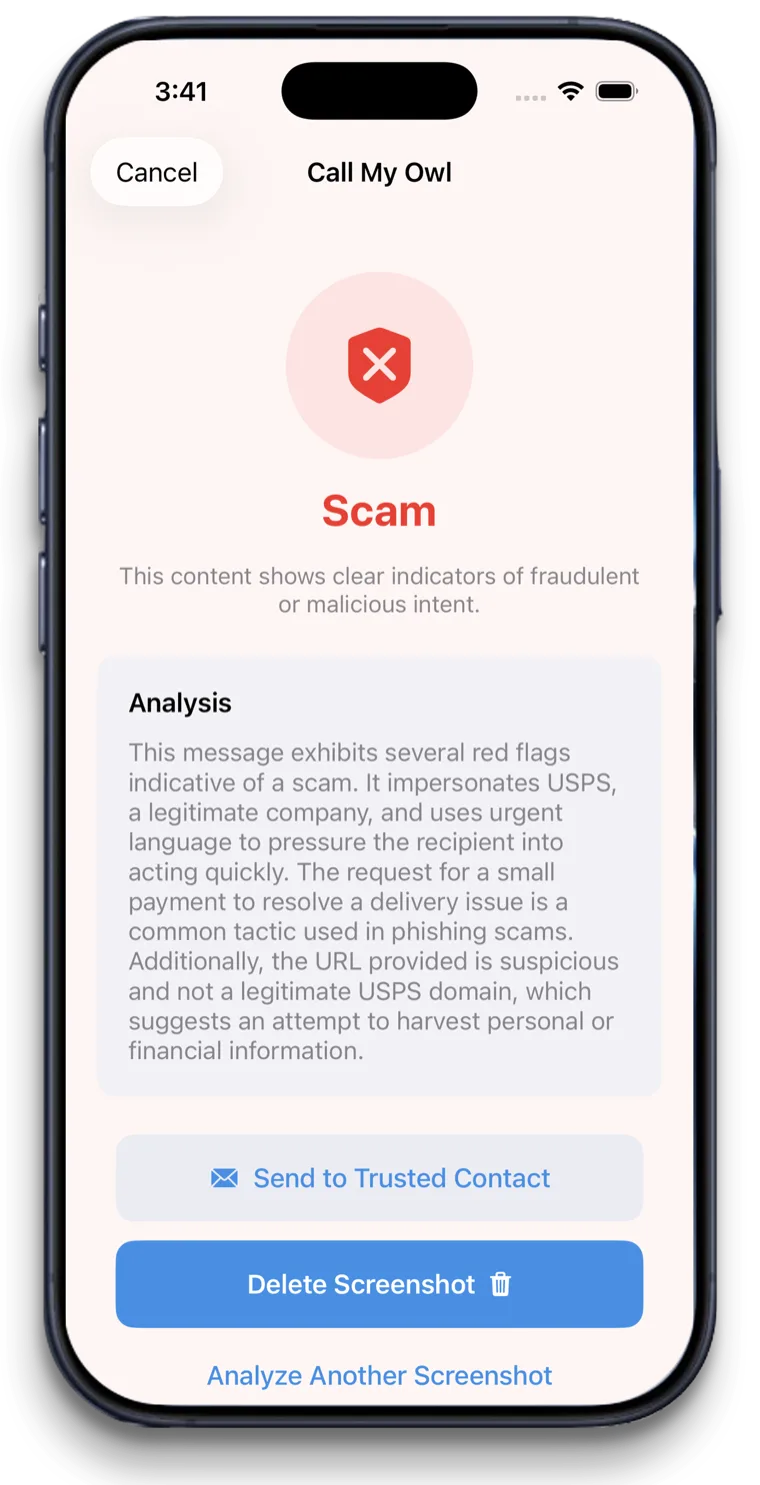
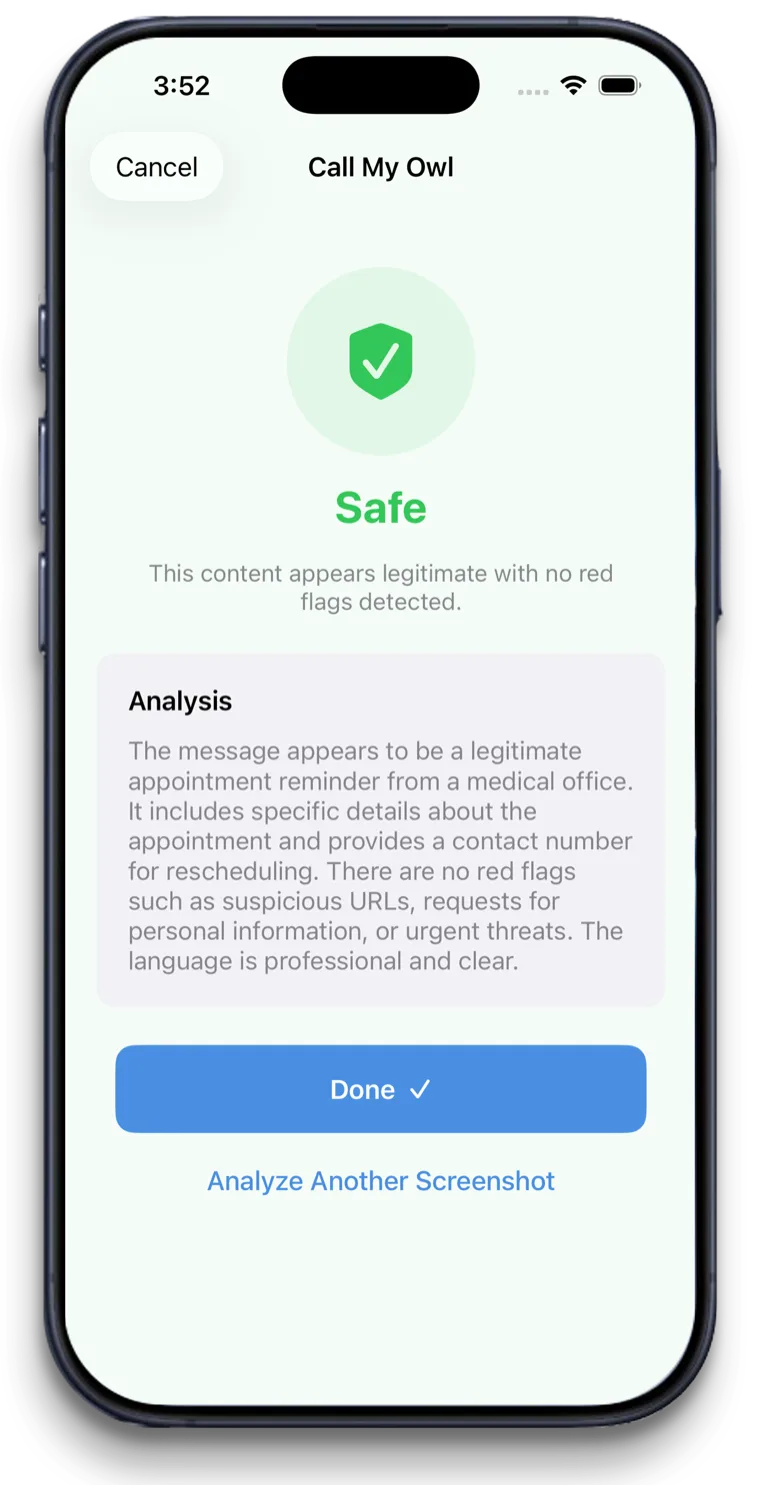
Call My Owl is OwlGuardian’s instant scam-check feature for things that don’t arrive by email — a suspicious text, a fake popup, a strange-looking letter in the mail, a phone number on a Post-It a stranger gave them. Your loved one has three ways to use it. Inside the app, tap Call My Owl to either take a photo of something physical (a letter, a flyer, a piece of mail) or pick an existing screenshot from their camera roll. Or, hands-free: say “Hey Siri, call my Owl” while looking at anything suspicious on their screen — a text message, a Facebook DM, a website, a phishing popup. OwlGuardian analyzes the image and tells them whether it looks like a scam, usually in about five seconds.
When would my loved one actually use Call My Owl?
Most often: when they get a text claiming to be from their bank, USPS, Apple, the IRS, or a family member in trouble. The right move is to not click anything and verify first — but in the moment, panic kicks in. Saying “Hey Siri, call my Owl” gives them an instant second opinion they can summon by voice. They don’t have to call you, dig up the bank’s real number, or risk clicking the wrong thing.
What can my loved one see, and what can I see?
Your loved one can see everything OwlGuardian sees — the same flagged emails, the same review history — inside the app. You, as the Trusted Contact, only see emails OwlGuardian has flagged as suspicious. You don’t see their normal correspondence, their finances, their medical scheduling, or anything that came through clean. The boundary is firm: OwlGuardian shows you only what your loved one is being exposed to that’s potentially dangerous. Their privacy stays intact for everything else.
What does OwlGuardian cost, and why isn’t it free?
OwlGuardian is $4.99 per month, and you can try it free for 30 days before you’re ever charged. There’s just one subscription per person you’re protecting — no matter how many family members are helping out, no one is billed twice. Whoever sets up the subscription is the one who pays for it, which in many families is the adult child doing the protecting.
As for why it isn’t free: every email is analyzed by real AI, and every “Call My Owl” check runs an image through that same analysis — each of those costs money to run, along with the secure, encrypted infrastructure behind them. Just as important, OwlGuardian doesn’t show ads and doesn’t sell anyone’s data — the subscription is the entire reason it can exist. It keeps our incentives simple and honest: you’re the customer, not the product.
Is OwlGuardian itself safe?
Absolutely. OwlGuardian was built with your loved one’s privacy and security in mind from the start. It earned a perfect score on a rigorous independent code audit called the Cloud Application Security Assessment (CASA) — the review Google requires of any app that wants to connect to Gmail. Your loved one’s data is double-encrypted on Amazon Web Services (AWS) servers, and only suspect messages are ever stored for your review — then deleted. And only you, the Trusted Contact, can view those flagged messages. No one else can. Not even the person who built OwlGuardian.